

Setting up a cloud server for your website can seem daunting, but with the right guidance, it can be a straightforward process. This comprehensive guide will walk you through the essential steps to successfully deploy your website on a cloud server. Whether you’re a seasoned developer or a novice website owner, understanding how to leverage the power of the cloud can significantly improve your website’s performance, scalability, and security. From choosing the right cloud hosting provider and server configuration to installing necessary software and optimizing your website for the cloud environment, we’ll cover everything you need to know.
By migrating your website to a cloud server, you can unlock a myriad of benefits. Experience improved website speed and reliability with reduced downtime. Cloud servers offer unparalleled scalability, allowing you to easily adapt to fluctuating traffic demands. Enhance your website’s security with robust cloud security measures. This guide will empower you to make informed decisions about your website’s infrastructure, ensuring optimal performance and a seamless transition to the cloud. Let’s begin your journey towards a more powerful and efficient online presence by exploring the intricacies of cloud server setup.
Choosing a Cloud Provider
Selecting the right cloud provider is a critical step in setting up your cloud server. Several factors influence this decision, including your budget, technical expertise, and specific website requirements.
Key considerations include pricing models (pay-as-you-go, reserved instances, etc.), available support (24/7, ticket-based, etc.), and the provider’s geographic reach (data center locations).
Major cloud providers include Amazon Web Services (AWS), Google Cloud Platform (GCP), and Microsoft Azure. Each offers a range of services and features, so careful research is essential.
Selecting Server Specs
Choosing the right server specifications is crucial for your website’s performance and stability. Consider your website’s needs and projected growth when making your decision. Key factors include CPU, RAM, and storage.
CPU, or Central Processing Unit, determines your server’s processing power. A higher number of cores and a faster clock speed will handle more complex tasks and higher traffic loads. RAM, or Random Access Memory, is the server’s short-term memory. Sufficient RAM ensures smooth operation, especially under heavy traffic. Lastly, storage capacity depends on your website’s size and anticipated growth. Consider SSDs for faster performance.
Operating System Installation
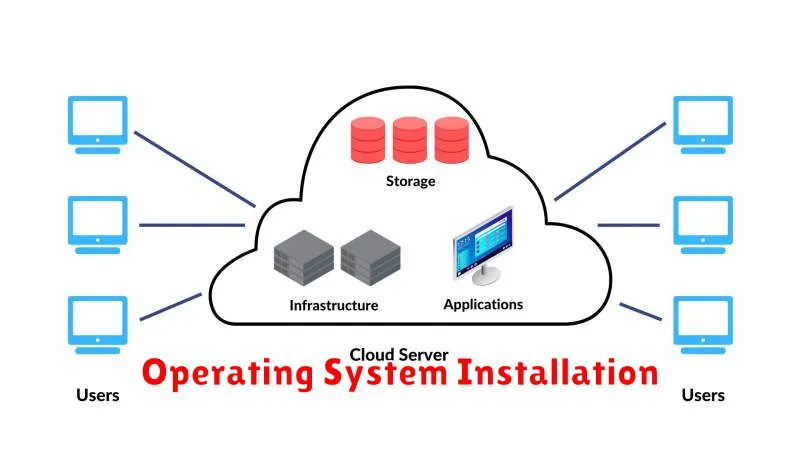
Choosing the right operating system (OS) is a critical step. Your choice depends on factors like your website’s technology stack, familiarity with the OS, and performance requirements. Common options include various Linux distributions (e.g., CentOS, Ubuntu) and Windows Server.
Most cloud providers offer a streamlined OS installation process through their management consoles. You typically select your desired OS from a list of available images. The provider then automatically installs the OS on your chosen server instance.
After the installation completes, you’ll receive login credentials. Use these credentials to access your server via SSH (for Linux) or Remote Desktop (for Windows). You can then begin configuring your server environment.
Configuring Your Web Environment
After your cloud server is up and running, the next crucial step is configuring the web environment. This involves installing and configuring the necessary software to serve your website’s files. The most common choice is a LAMP (Linux, Apache, MySQL, PHP) stack or a LEMP (Linux, Nginx, MySQL, PHP) stack. Choosing the right stack depends on your specific needs and website technology.
Apache and Nginx are popular web servers. They handle incoming requests and serve your website’s files to visitors. MySQL is a relational database management system that stores your website’s data. PHP is a server-side scripting language used to generate dynamic content.
Install the chosen stack using your server’s package manager. Ensure your chosen stack is configured correctly, paying particular attention to security configurations. This includes setting strong passwords and configuring firewall rules.
Securing Your Server
Server security is paramount after setup. Immediately change the default password for your root or administrator account. Choose a strong password with a mix of uppercase and lowercase letters, numbers, and symbols.
Enable a firewall. Configure it to allow only necessary traffic, blocking all other incoming and outgoing connections. This is a crucial first step in preventing unauthorized access.
Regularly update your server’s operating system and software. Security patches are frequently released to address vulnerabilities. Staying up-to-date minimizes your exposure to threats.
Testing and Deployment
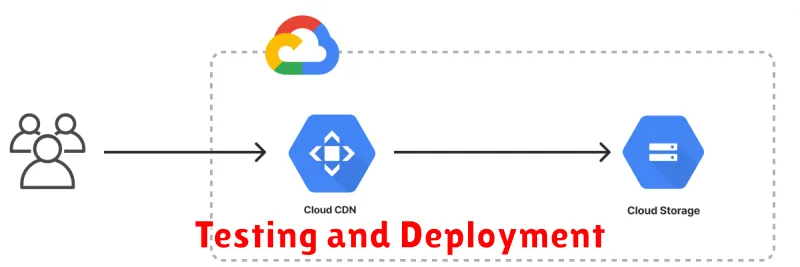
After configuring your cloud server, thorough testing is crucial before deploying your website. This ensures everything functions as expected in the live environment.
Begin by testing core functionalities. Verify database connections, script execution, and form submissions. Pay close attention to page loading speeds and responsiveness across different browsers and devices.
Once testing is complete, it’s time to deploy your website. This typically involves uploading your website files to the server. Ensure proper file permissions and directory structure. After deployment, conduct final tests to confirm everything works correctly on the live server.
Ongoing Maintenance Tips
Maintaining your cloud server is crucial for ensuring optimal website performance and security. Regular maintenance tasks can prevent potential issues and extend the lifespan of your server.
Operating System Updates: Regularly update your server’s operating system (OS) to patch security vulnerabilities and improve performance. Enable automatic updates whenever possible.
Security Monitoring: Implement robust security monitoring tools to detect and respond to any suspicious activity promptly. Regularly review server logs and access patterns.
Performance Monitoring: Monitor key performance indicators (KPIs) like CPU usage, memory usage, and disk space. Address any performance bottlenecks proactively.
Backups: Regularly back up your server data to a secure offsite location. This ensures data recovery in case of server failure or data loss.
