

Migrating your website to the cloud can seem like a daunting task, but with careful planning and execution, it can be a seamless and beneficial process. This comprehensive guide will provide you with a step-by-step approach to website migration, covering everything from choosing the right cloud provider to minimizing downtime and ensuring a smooth transition. Whether you’re running a small blog or a complex e-commerce platform, understanding the key considerations of cloud migration is crucial for success. Learn how to effectively plan, execute, and optimize your website’s move to the cloud to unlock the benefits of scalability, reliability, and cost efficiency.
In this article, we’ll delve into the essential steps involved in migrating your website to the cloud. We’ll discuss the different types of cloud services available, including Infrastructure as a Service (IaaS), Platform as a Service (PaaS), and Software as a Service (SaaS), helping you select the best option for your specific needs. We’ll also explore the critical aspects of cloud migration strategy, including assessing your current infrastructure, selecting a suitable cloud environment, and implementing a robust migration plan. By following the guidance provided, you can ensure a successful website cloud migration and take advantage of the numerous benefits the cloud has to offer.
Preparing for Cloud Migration
Thorough preparation is crucial for a successful cloud migration. This phase involves several key steps to ensure a smooth transition.
First, conduct a comprehensive assessment of your current website infrastructure. Identify dependencies, performance bottlenecks, and security vulnerabilities. This assessment will inform your cloud strategy.
Next, select a suitable cloud provider and service model. Consider factors like cost, performance, security, and support. Choosing the right provider is essential for long-term success.
Finally, develop a detailed migration plan. This plan should outline the migration process, timelines, and resource allocation. It should also include rollback procedures in case of unexpected issues.
Selecting a Cloud Hosting Plan
Choosing the right cloud hosting plan is crucial for a successful website migration. Carefully evaluate your website’s needs to avoid overspending or under-resourcing your site. Consider factors such as traffic volume, storage requirements, and required performance levels.
Cloud hosting plans typically offer different tiers with varying resource allocations. Shared cloud hosting is a cost-effective option for smaller websites with lower traffic. For increased performance and scalability, consider a virtual private server (VPS) or a dedicated cloud server. Analyze your current resource utilization to estimate your future needs accurately.
Scalability is a key advantage of cloud hosting. Ensure your chosen plan allows for easy scaling of resources as your website grows. This flexibility enables you to adapt to changing demands without significant downtime or performance issues.
Backing Up Your Data
Before migrating your website, creating a comprehensive backup is crucial. This safeguards against data loss during the transfer process and provides a fallback option should any issues arise. A complete backup includes all website files and databases.
Several methods exist for backing up your data. You can use server-side tools provided by your hosting provider, or employ plugins if your website uses a content management system (CMS). Alternatively, you can manually download your files and export your database.
Ensure the backup is stored in a secure and separate location from your existing server. This redundancy protects you against hardware failures or other unforeseen incidents at your current hosting provider.
Transferring Website Files and Databases
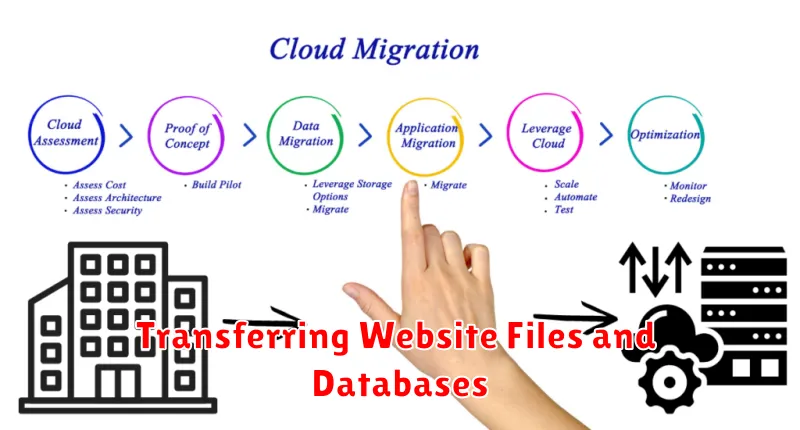
This stage involves moving your website’s files and databases to your chosen cloud environment. There are several methods for transferring files, each with its own advantages and disadvantages.
File Transfer Methods
FTP (File Transfer Protocol): A common method, FTP is suitable for smaller websites. However, it can be slow for large files.
SFTP (Secure File Transfer Protocol): A more secure version of FTP, offering encryption for added protection during transfer.
SCP (Secure Copy Protocol): Another secure option, often faster than SFTP, especially for larger files and directories.
Cloud Provider Tools: Many cloud providers offer specialized tools or services for migrating website files, often simplifying the process and optimizing for performance.
Database Transfer
Transferring your database requires careful planning. Exporting your database to a file (e.g., SQL dump) and then importing it to your cloud database instance is a common approach. Ensure compatibility between your original database and the cloud database service.
Testing Post-Migration Setup
After migrating your website to the cloud, thorough testing is crucial. This ensures everything functions as expected in the new environment.
Start by verifying core functionality. Test all major features, such as user logins, form submissions, database interactions, and e-commerce transactions (if applicable).
Next, assess website performance. Check page load speeds and responsiveness. The cloud environment should ideally offer improved performance compared to your previous setup. Identify and address any bottlenecks immediately.
Finally, confirm security measures. Ensure SSL certificates are valid, security protocols are in place, and the website is protected against common vulnerabilities.
Optimizing for Cloud Performance
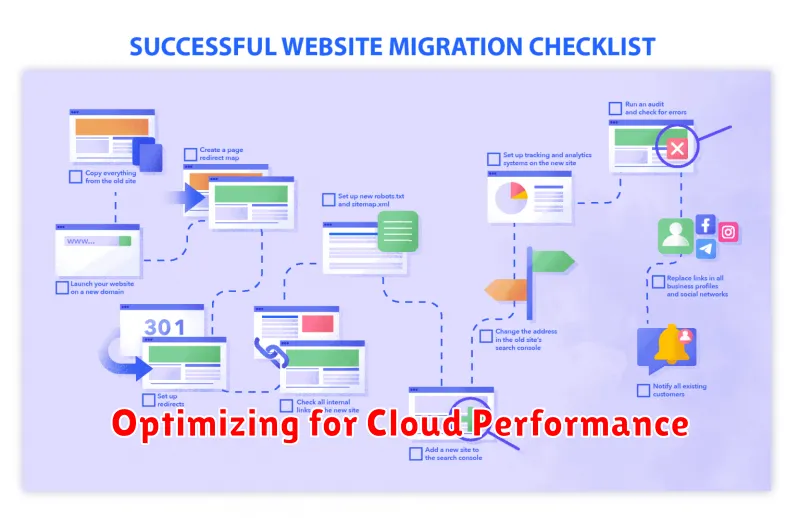
Once your website is migrated, optimizing for cloud performance is crucial. This involves leveraging the scalability and flexibility of the cloud environment to ensure a fast, reliable, and efficient website.
Content Delivery Networks (CDNs) are essential for distributing content closer to users, reducing latency. Configure a CDN to cache static assets like images, scripts, and stylesheets.
Auto-scaling allows your website to dynamically adjust resources based on demand. Configure auto-scaling to handle traffic spikes effectively, ensuring consistent performance even under heavy load.
Caching at various levels, including browser caching, server-side caching, and database caching, can significantly improve website speed. Implement caching strategies appropriate for your website’s architecture.
Final Checks and Launch
Before launching your migrated website, conduct thorough final checks. This ensures a smooth transition and minimizes potential issues. Verify DNS propagation. Confirm that your domain name correctly points to your new cloud servers. This might take a few hours to fully propagate globally.
Test website functionality. Navigate through all pages and features, ensuring everything operates as expected. Pay particular attention to forms, databases, and interactive elements. Monitor site performance. Use online tools to check website speed and responsiveness from different geographic locations. Address any performance bottlenecks.
Once all checks are satisfactory, proceed with the official launch. Closely monitor website traffic and performance in the initial hours and days post-launch. Be prepared to troubleshoot any unforeseen problems.
