
In today’s digital landscape, data is the lifeblood of any organization, regardless of size. Protecting this valuable asset is no longer a luxury, but a necessity. Cloud backup emerges as a crucial solution, offering a robust and scalable way to safeguard data from loss, corruption, and disaster. Understanding the intricacies of cloud backup, its benefits, and its importance is paramount for businesses and individuals seeking to ensure data resilience and business continuity. This article explores the core concepts of cloud backup, highlighting why it matters in an increasingly interconnected world. We will delve into the mechanisms, advantages, and various types of cloud backup solutions available, empowering you to make informed decisions about protecting your valuable information.
Data loss can cripple an organization, leading to financial setbacks, reputational damage, and even legal repercussions. Cloud backup provides a safety net against a myriad of threats, including hardware failure, human error, cyberattacks, and natural disasters. By leveraging the power and accessibility of the cloud, individuals and businesses can establish a robust data protection strategy that ensures business continuity. This introduction will lay the foundation for understanding the critical role cloud backup plays in mitigating risk and maintaining access to critical data in the face of adversity. It will also explore how choosing the right cloud backup solution can be a game-changer for individuals and businesses alike.
What Is Cloud Backup?
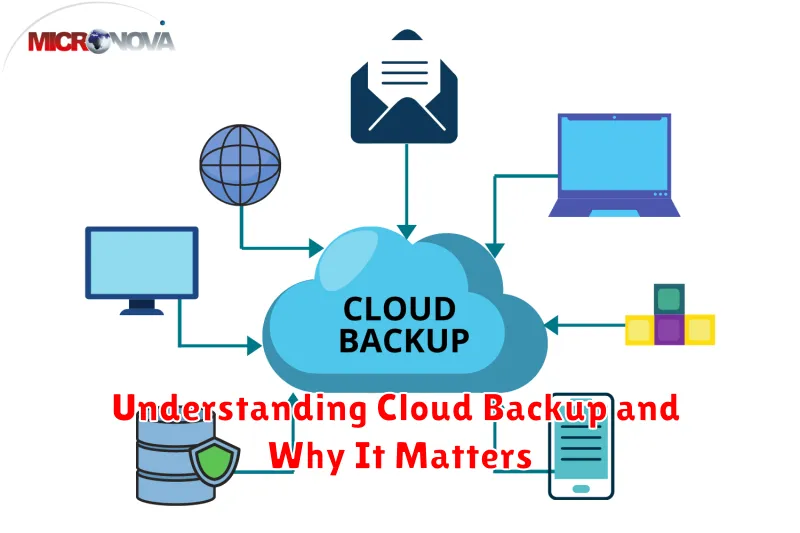
Cloud backup is the process of storing copies of your data on remote servers accessed via the internet. Think of it as a digital safety deposit box for your important files. Instead of relying solely on physical storage devices like external hard drives, cloud backup utilizes a network of servers managed by a third-party provider.
This offsite storage offers a secure and reliable way to protect your data from various threats, including hardware failures, natural disasters, and even accidental deletion. By regularly backing up to the cloud, you create redundancy, ensuring that your information remains accessible even if your primary devices are compromised.
How Cloud Backup Works
Cloud backup operates by transferring copies of your data over the internet to a remote server managed by a third-party provider. This offsite storage ensures data protection against local hardware failures or other unforeseen events.
The backup process typically involves several steps. First, software installed on your computer or network identifies the data designated for backup. Next, the software compresses and encrypts this data before transmitting it securely to the cloud provider’s servers.
Backup schedules can be configured to run automatically, ensuring consistent data protection. Options include full backups (copying all data), incremental backups (copying only changed data since the last backup), and differential backups (copying changes since the last full backup). These options provide flexibility in balancing backup frequency and storage consumption.
Benefits Over Traditional Backup
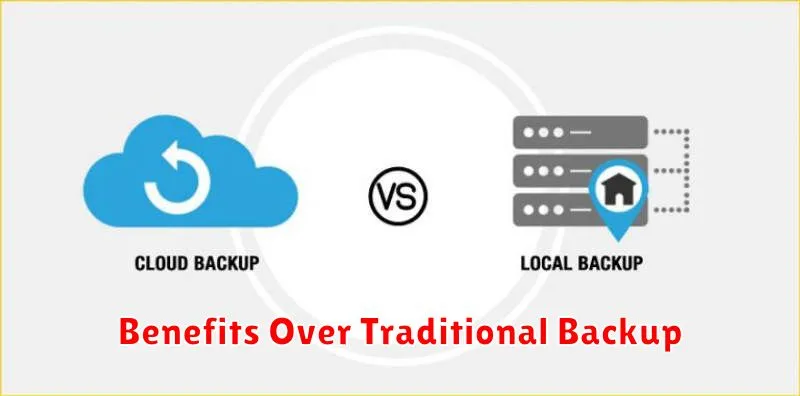
Cloud backup offers several key advantages over traditional methods like external hard drives or tape storage. Primarily, it provides superior accessibility. Your data is available from anywhere with an internet connection, eliminating the need for physical access to storage devices.
Scalability is another significant benefit. Cloud storage can easily adapt to growing data needs, unlike physical solutions with limited capacity. Furthermore, cloud backup enhances data security by safeguarding against physical damage, theft, or localized disasters that could compromise traditional backups.
Finally, cloud backup often proves more cost-effective in the long run. Eliminating the need for hardware purchase, maintenance, and physical storage space translates into significant savings.
Top Features to Look For
When selecting a cloud backup solution, prioritize features that align with your specific needs. Automated backups are crucial for consistent data protection, eliminating the risk of human error. Look for solutions offering flexible scheduling options.
Data security is paramount. Ensure the provider employs robust encryption methods, both in transit and at rest. Data recovery options should be straightforward and efficient, allowing for granular restoration of individual files or entire systems. Consider the scalability of the service to accommodate future data growth.
Finally, evaluate the provider’s reputation and support. Look for transparent service level agreements (SLAs) and readily available customer assistance.
Cloud Backup for Business and Personal Use
Cloud backup offers a secure and convenient way to protect data for both businesses and individuals. For businesses, data loss can mean significant financial impact and reputational damage. Cloud backup ensures business continuity by providing access to critical data even during unforeseen events like hardware failures or cyberattacks.
For personal use, cloud backup safeguards irreplaceable files such as photos, videos, and important documents. It offers peace of mind knowing that precious memories and essential information are protected against accidental deletion, device theft, or other unforeseen circumstances.
Key Benefits:
- Automated backups
- Accessibility from anywhere
- Scalability and cost-effectiveness
Choosing the Right Provider
Selecting the right cloud backup provider is crucial for a successful backup strategy. Security, reliability, and cost-effectiveness are key factors to consider.
Evaluate providers based on their security measures, such as encryption and data center certifications. Assess their reliability through uptime guarantees and service level agreements (SLAs). Finally, compare pricing models and choose a solution that fits your budget and storage needs.
Final Thoughts on Data Protection
In conclusion, data protection is paramount in today’s digital landscape. Cloud backup emerges as a crucial component of a comprehensive data protection strategy, offering resilience against data loss from various threats.
By leveraging the cloud, individuals and businesses can ensure business continuity, regulatory compliance, and peace of mind knowing their valuable data is secure and recoverable.
Proactive measures like implementing cloud backup solutions are no longer optional, but rather a necessity for navigating the ever-evolving threat landscape and safeguarding critical information.
